For event organizers

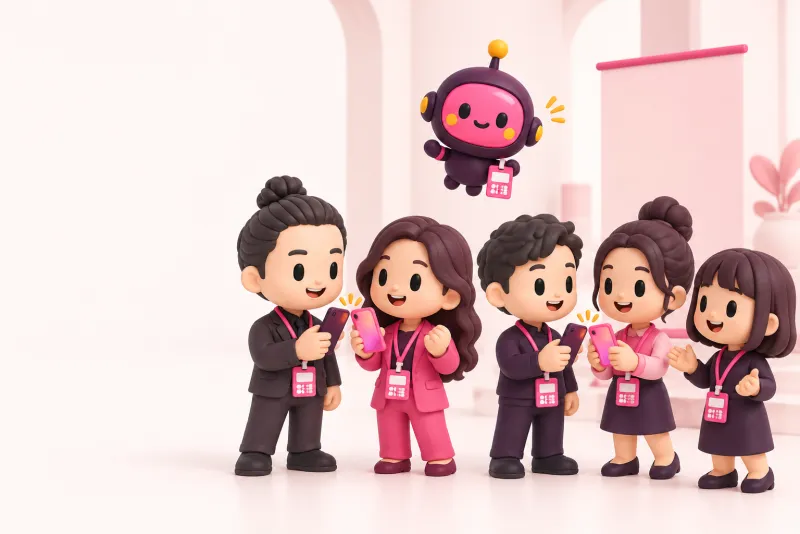
Every attendee badge doubles as a business card

Paste a CSV and every attendee gets a badge and a card page at once. Taps on the day show up as numbers, and afterwards you keep an aggregate report that never shows individuals.

  • Creating events and reading reports is free for organizers
  • Attendees need no app
  • The report never shows individuals

Take the work out of before and after the event

From making the badges to looking back afterwards.

The usual way

  • You make and print badges one by one, and attendees bring their own cards
  • You do not know how many exchanges happened until it is over
  • Once the event ends, the connections between attendees are gone
  • Exhibitors redo the follow-up with everyone they met

With Kizunatap

  • Paste a CSV and every badge and card page is made at once
  • On the day, the exchange count moves in front of you
  • The badge QR becomes the attendee’s own card, so they stay connected afterwards
  • Exhibitors follow up with the people they exchanged with in the same flow

What organizers get

None of it costs organizers a fee.

  • No more badge busywork

    One CSV gives you a badge and a card page for everyone, down to a sheet ready to print.

  • Connections stay as numbers

    How many exchanges happened is kept in the report, ready for looking back when you plan the next event.

  • Attendees stay connected afterwards

    The badge becomes the attendee’s own card, so it keeps working after the event. Whether to be listed is the attendee’s choice.

The numbers that stay after the event

The report shows totals only. It never shows who exchanged with whom.

  • Exchanges

    How many cards were exchanged across the event.

  • Badges claimed

    The share of badges handed out that attendees made their own card.

  • Attendees who exchanged

    The share of attendees who exchanged at least once.

  • Activity by the hour

    When exchanges peaked, hour by hour.

  • How they exchanged

    Whether people used a QR code, NFC or another way.

  • By company, title and industry

    Only groups of five or more are shown. Smaller ones are rolled into “Other”.

If the organizer turns “public” on, the same totals also appear on the event’s public page.

The flow: hand out, tap, tally, follow up

The organizer screen has four tabs, Badges, On the day, Report and Exhibitors, and you move through them in that order.

1. Hand out badges

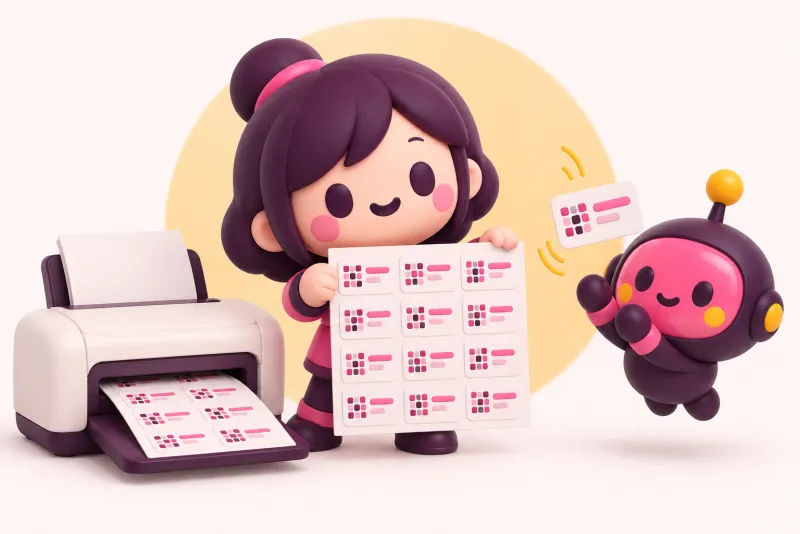
Every attendee’s badge, in bulk from a CSV

Paste name, company and title (email is optional) and each attendee gets a card page and a QR code, laid out on A4 sheets for printing. The attendee claims it as their own card from the QR. Until then, the card page shows only name, company and title.

When you import, you confirm that attendees have been told about their badges. If you want NFC badges, you can also get a cost estimate.

2. Tap to exchange

On the day, exchanges show up as numbers

Exchanges made from a badge count toward the event. So do exchanges that a participant makes with their own card while joined to the event, from the day before to the day after.

The On the day tab shows exchanges, claimed badges and participants, refreshed every 10 seconds.

3. Report

Connection numbers that never show individuals

The Report tab shows exchanges, the claim rate, activity by the hour, the way people exchanged and more. Breakdowns such as by company show only groups of five or more.

Only attendees who choose to be listed appear on the event page with name, company and a link to their card. It starts off for everyone.

4. Exhibitor follow-up

Exhibitors can act on their exchanges right away

Exhibitors can export their own exchanges per event as a CSV: contact details, consent, time and how they exchanged. Thank-you drafts and automatic follow-ups work just as they always do in Kizunatap.

The contacts an exhibitor collects go only to that exhibitor. They are not passed to the organizer.

See the organizer side first, in a demo

A sample event is open to everyone, with sample badges, attendees, exchanges and a public report.

Open the demo event

The flow from issuing badges to the report is also in the video.

Pricing

Free for organizers. Exhibitor booth staff use Team seats.

Organizer

Free

No fee for creating events, issuing badges in bulk, or the report.

  • Bulk badges and card pages, plus a print sheet
  • The on-the-day counter and the report
  • If you want NFC badges, you can get a cost-based estimate

Exhibitors (Business)

$6.99/ seat / mo

Billed yearly: $4.99 / seat / mo (save 29%), 3-seat minimum

Everyone on the booth can use follow-ups and the lead CSV export for the people they exchange with.

  • Automatic follow-up with the people you exchanged with
  • A lead CSV per event
  • Add or remove seats as you need
See the plans

How attendee data is handled

  • The report never shows individuals
  • Groups smaller than five are never shown
  • Contact details reach only the people the attendee chose to give them to
  • Organizers do not receive a roster of attendees
Privacy policy

FAQ

Do attendees need to install an app?

No. They scan the QR on the badge and claim their card in the phone’s browser.

Can I make badges without email addresses?

Yes. Name, company and title are enough. Email is optional.

May I make badges without telling attendees?

The import asks you to confirm that attendees have been told about their badges. Please let them know before you hand badges out.

Can the organizer see attendees’ contact details?

No. The organizer screen shows the number of participants and the names of those who chose to be listed, nothing more.

Could a small company be identified from the totals?

Company, title and industry groups are shown only when there are five or more people. Smaller ones are rolled into “Other”.

What about people who join on the day?

They can join the event with a join code. Exchanges they make with their own card while joined count in the report from the day before to the day after the event.

Can I make NFC badges too?

A printed QR sheet is the default. If you want NFC badges, you can get an estimate from the unit price and quantity.

What happens to the contacts exhibitors collect?

They go only to that exhibitor, who can export them per event as a CSV. They are not passed to the organizer.

Does the badge keep working after the event?

Yes. It stays the attendee’s own card page.

Try it at your next event

All you need is an email address. You can look at the demo event before you make any badges.